Media kit
NavRecs media kit.
Last updated 29 September 2026
The official NavRecs name, descriptions, facts and logos, for press, directories and partners writing about our net asset value (NAV) reconciliation software. Please use them as they are.
One line
NavRecs: automated NAV (net asset value) reconciliation software for fund administrators.
Short description
NavRecs re-performs the daily NAV review in seconds, inside your own Microsoft tenant. Breaks ranked by impact, every figure traced to its cell, the reviewer still signs.
Long description
Before a fund's NAV is released, a senior reviewer checks it: cash, positions, prices, FX, accruals, fees, capital activity and the movement in the NAV itself. Where that review runs in Excel, it takes the morning.
NavRecs re-performs those checks in seconds. On our demo book, 371 checks across 6 funds run in under 3 seconds, measured. Reviewers see only the breaks, ranked by their impact on the NAV. Every figure is one click from the cell it came from. Every sign-off lands on an append-only, tamper-evident audit trail. The judgement stays human: the reviewer still signs.
The checks you need: 18 shipped, switched on or off per fund, new checks built on request, each calibrated with your own tolerances and mapped to the GFSC's pricing controls guidance (November 2021) and CSSF Circular 24/856.
Deployed inside your own Microsoft tenant. No outbound internet calls. Nothing leaves it. Microsoft Entra sign-in with your own two-factor, unlimited users, no per-seat licence. Deterministic: no generative AI in the numbers.
Facts
- Name
- NavRecs
- Website
- navrecs.com
- What it is
- Automated NAV (net asset value) reconciliation software for fund administrators
- Who it is for
- Fund administrators of every size
- Where it runs
- Inside the client's own Microsoft Azure tenant
- Location
- Guernsey, Channel Islands
- Founded
- 2026
- Pricing
- On request. Priced by fund count, not by seat
- Pilot
- A four-week parallel run on your own mornings
Profiles: LinkedIn · X · Capterra · GetApp · G2 · Crunchbase · GitHub · SaaSHub · InGuernsey
Logos
The mark is the equals sign: the NAV agrees with the check. Use the files as they are. Do not stretch, recolour or add effects.
Colours
Ground #101A33 to #070A12. Mark gradient #9DBBFF, #6E9BFF, #B1A4FF. Type Geist Sans.
Product screenshots
Real screens of NavRecs on synthetic demo data. No client data.
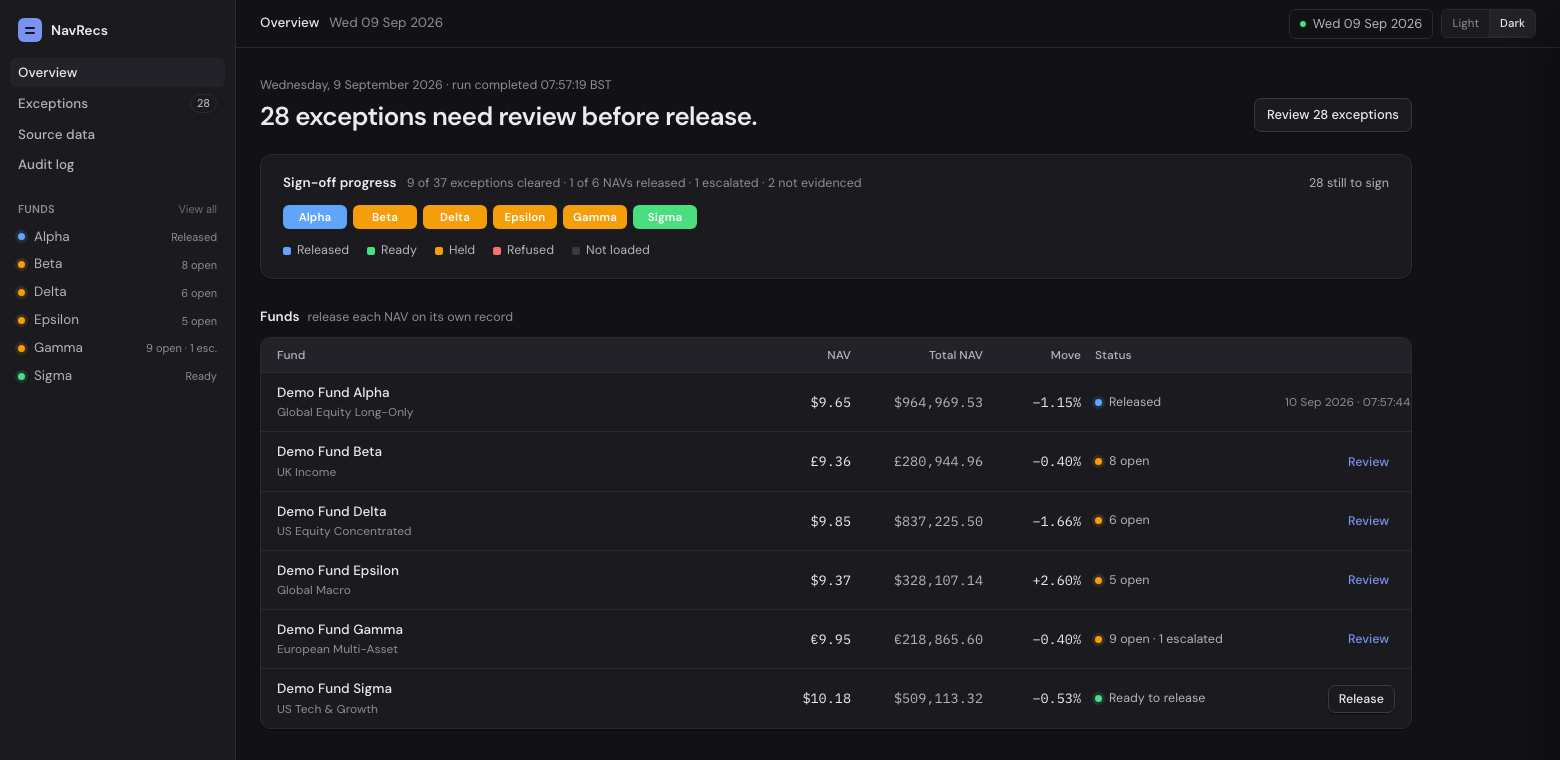
- The NavRecs overview on a mixed morning: one NAV released, one ready to release, four with open exceptions
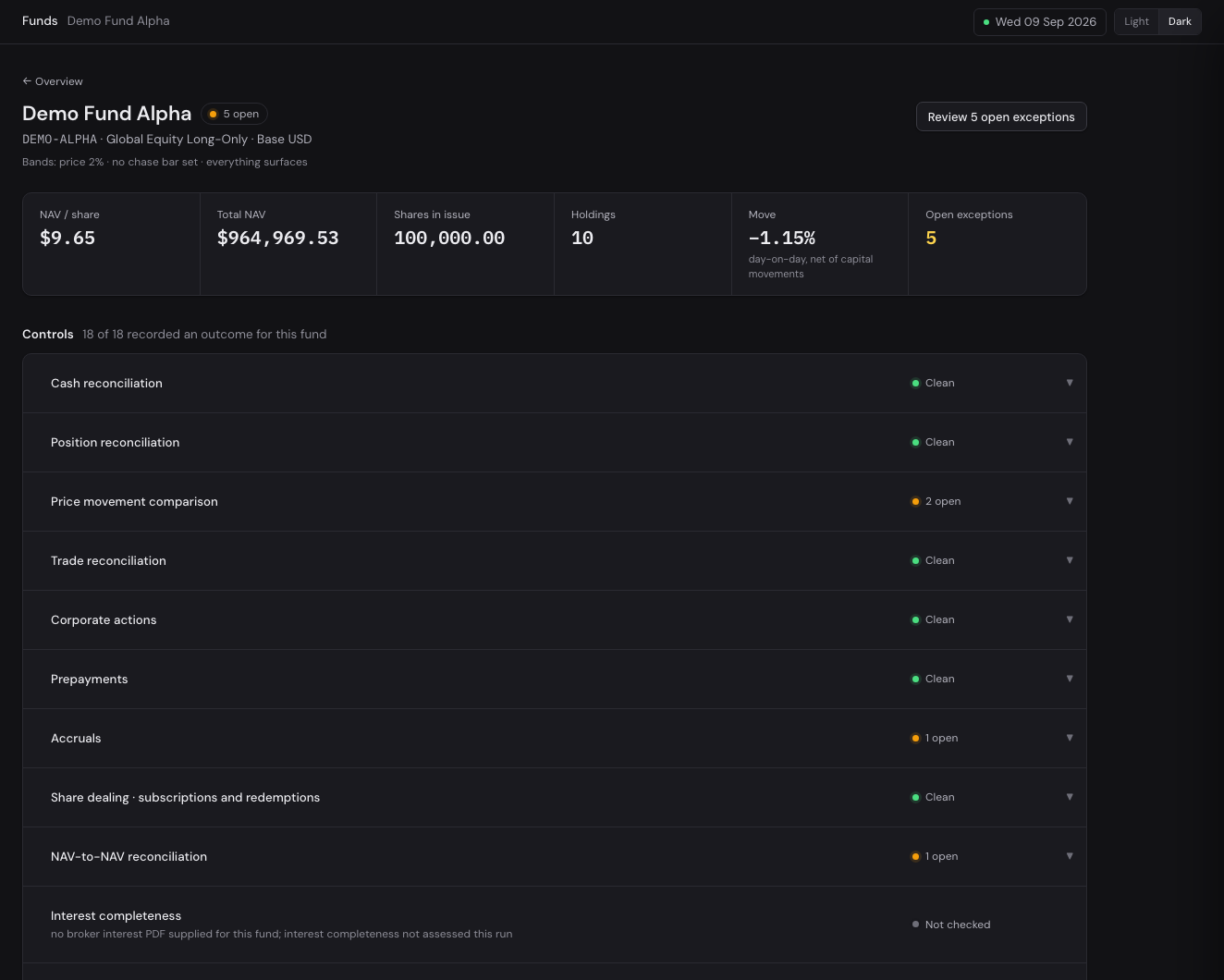
- The controls for one fund in NavRecs: each check with its tolerance, switched on or off per fund
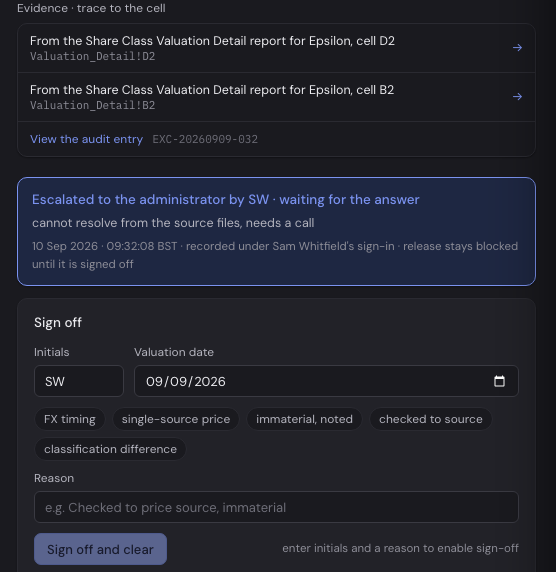
- A break in NavRecs: the evidence traced to its source cell, the escalation note, and the sign-off
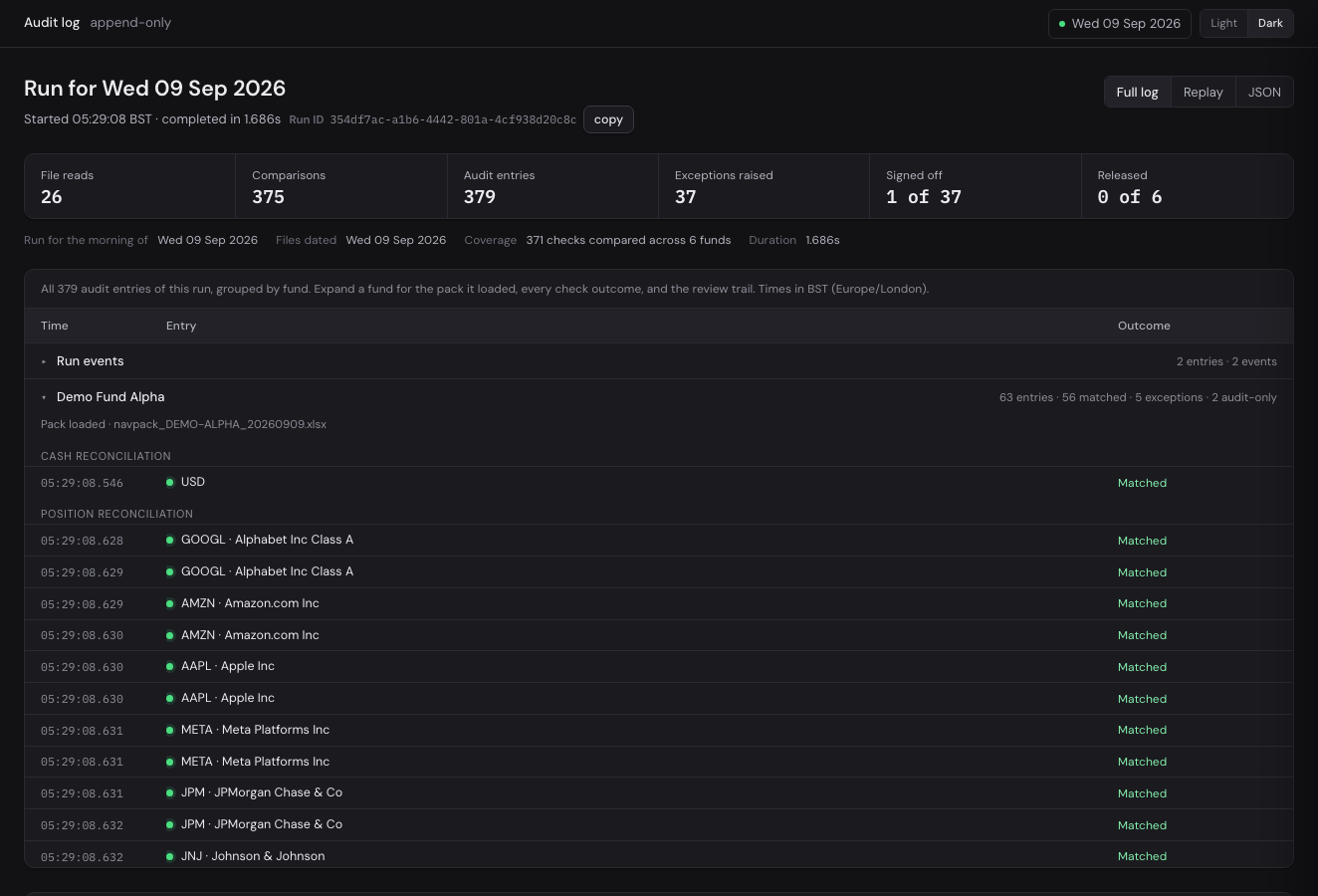
- The append-only audit log for one morning in NavRecs: file reads, comparisons, exceptions, sign-offs and releases
Contact
To book a demo or ask a question, use navrecs.com/demo.